
What is a Smart Locker?
A complete guide to what smart lockers are, how they work and how organisations are using them to automate the collection, return and management of orders, equipment and shared assets.
At first glance, a smart locker looks much like any other locker: a series of secure compartments designed to hold something until it is needed. The important difference is what sits behind the doors.
Smart lockers combine electronically controlled access with software, connectivity and data. Instead of somebody issuing a key, managing a spreadsheet or physically overseeing a handover, access can be controlled digitally and every transaction recorded automatically.
This changes the role of the locker. It is no longer simply somewhere secure to leave something. It becomes part of a workflow for getting an order, device or piece of equipment from one person to another.
That distinction explains why smart lockers are now used in environments as different as retail stores, distribution centres and corporate workplaces. The items moving through them may be different, but the underlying challenge is remarkably similar: how do you make a secure handover without requiring another person to manage every transaction?
What exactly is a smart locker?
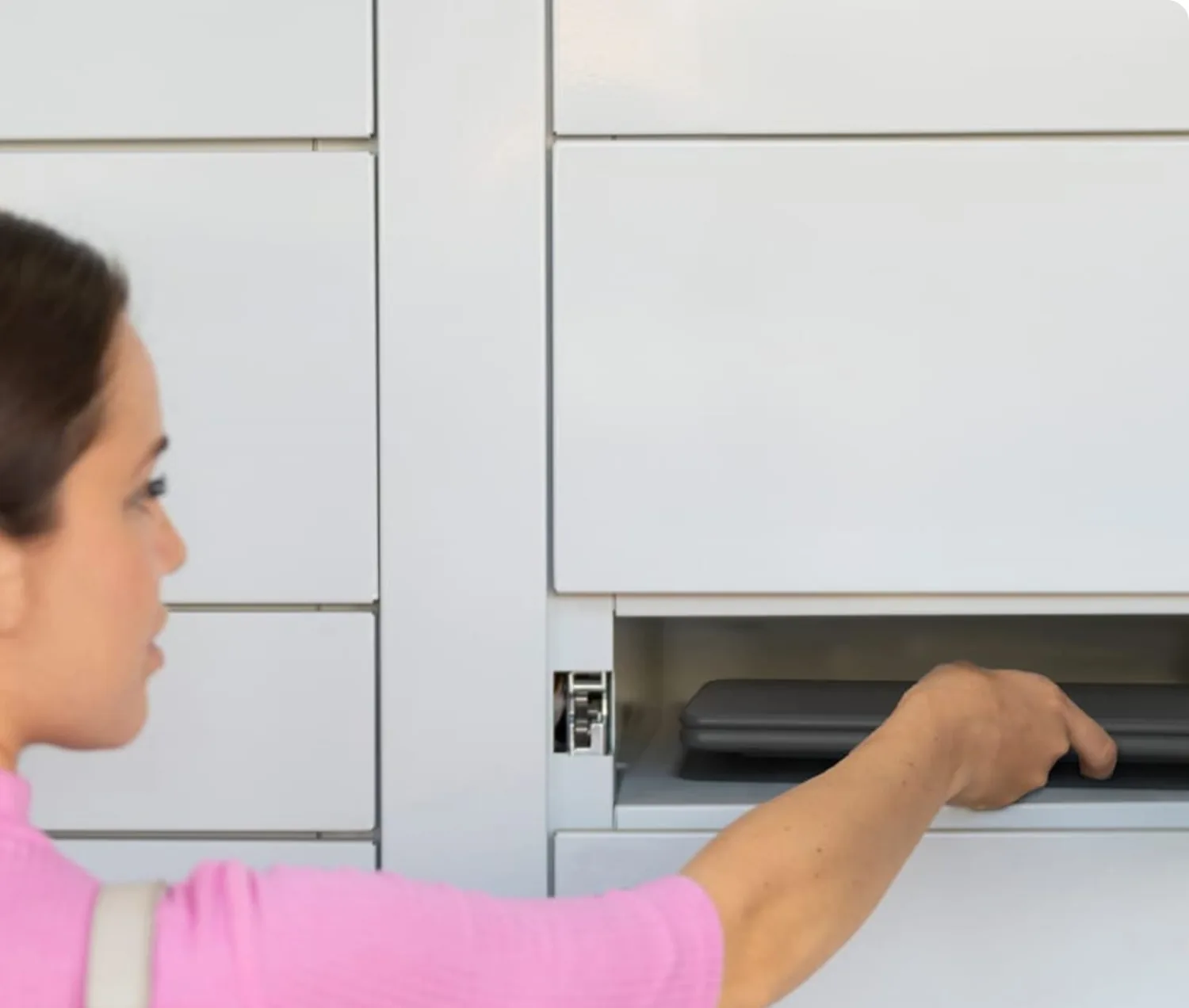
A smart locker is a secure storage compartment that uses digital technology to control who can access it and to record how it is being used.
Traditional lockers generally depend on keys, combination locks or other forms of locally controlled access. A smart locker connects the physical compartment to software. Users authenticate themselves digitally and the system determines which door they are permitted to open.
Depending on the environment, authentication might take place using an existing employee card or fob, a secure digital link or another approved method. Once the transaction takes place, the software creates a record of it.
That can give an organisation visibility of:
- who accessed a locker;
- which compartment was opened;
- when the transaction occurred;
- what was collected or returned;
- whether an item is still outstanding; and
- how the lockers are being used over time.
The simplest way to understand the difference is that a traditional locker provides storage and security. A smart locker adds identity, control, traceability and data.
This becomes particularly valuable when the locker is connected to a wider operational workflow.
What makes a locker 'smart'?
Not every locker fitted with an electronic lock is necessarily a smart locker.
An electronic lock can simply replace a mechanical key with a PIN, card or other electronic access mechanism. A smart locker system goes further by connecting the physical locker to software that manages users, permissions, transactions and data.
Most smart locker systems therefore combine several capabilities.
- Digital access control determines who is authorised to access a particular compartment.
- Management software allows administrators to control users, permissions and locker allocation.
- Connectivity allows the physical lockers and management platform to communicate.
- Transaction data creates an audit trail of what has happened.
More sophisticated systems can then connect these capabilities to wider business processes through notifications, workflow rules and integrations.
This is where the distinction between a smart locker and an automated smart locker system becomes useful. The smart locker provides the digitally controlled physical infrastructure. Automation determines what happens before and after the locker door opens.
For example, a system might automatically allocate a compartment, notify someone that an item is ready, authenticate them when they arrive, record the collection and update another business system afterwards.
The technology has moved considerably beyond simply replacing a locker key.
 How do smart lockers work?
Although individual installations differ, most smart locker systems have two fundamental layers: the physical locker infrastructure and the software that controls it.
The physical locker
The hardware starts with the compartment itself. Its size and configuration depend on what needs to move through the system. A retailer may need compartments capable of holding customer orders, while a warehouse might need smaller spaces for handheld scanners and radios. Workplace IT teams may require compartments large enough for laptops and associated equipment.
Each compartment is fitted with an electronically controlled smart lock. When a user authenticates successfully, the system releases the appropriate door rather than simply allowing access to the whole locker bank.
Some applications also require power inside the compartment. Operational devices can then charge while they are securely stored, meaning the next person collecting a scanner, radio or laptop receives equipment that is ready to use.
Connectivity links these physical components to the management platform.
Importantly, adopting smart locker technology does not always mean replacing an organisation's existing lockers. Where suitable hardware is already installed, it may be possible to retrofit smart locks and connect the existing locker bank to the software platform.
The software behind the doors
The software is what turns the physical lockers into an operational system.
At its simplest, it controls access and records transactions. More sophisticated deployments can manage allocation, automate notifications, monitor overdue items, report on utilisation and connect locker activity with other business systems.
Depending on the application, organisations can use the platform to:
- manage users and access permissions;
- assign compartments or equipment;
- monitor activity in real time;
- send collection notifications;
- identify overdue items;
- maintain transaction histories;
- analyse utilisation;
- generate management reports; and
- integrate locker activity with other operational systems.
The depth of integration varies considerably. A smart locker deployment does not necessarily need to become a major IT transformation programme. In many cases, organisations start with a defined workflow, demonstrate that it delivers value and introduce deeper integrations as the deployment develops.
From a locker transaction to an automated workflow
The easiest way to understand smart locker technology is to look at the handover rather than the cabinet.
Most applications involve the same basic sequence. Something needs to be made available to somebody; the right person needs to be notified; their identity or authority needs to be confirmed; the item needs to be collected or returned; and the transaction needs to be recorded.
A smart locker can automate much of this sequence.
Consider a warehouse operative collecting a handheld scanner. Instead of joining a queue while a supervisor manually distributes equipment, the operative authenticates, collects the assigned device and starts work. When the scanner is returned, the transaction is recorded against that user.
The same underlying principle applies to a customer collecting an ecommerce order or an employee collecting a replacement laptop.
The workflow might broadly follow:
Deposit or assign → Notify → Authenticate → Collect or return → Record
What happens around those stages can then be adapted to the organisation. A completed transaction might update an asset record, trigger a notification, make a locker available for another user or provide management information about how the process is performing.
This flexibility is why the same underlying smart locker platform can support very different operational environments.

Where are smart lockers used?
Smart lockers are most useful where valuable items repeatedly need to move between an organisation and an individual, particularly when the existing process relies heavily on manual handovers.
The technology can be used for everything from ecommerce collections to laptop swaps, but three environments illustrate the breadth of the category particularly well.
Smart lockers in warehouses
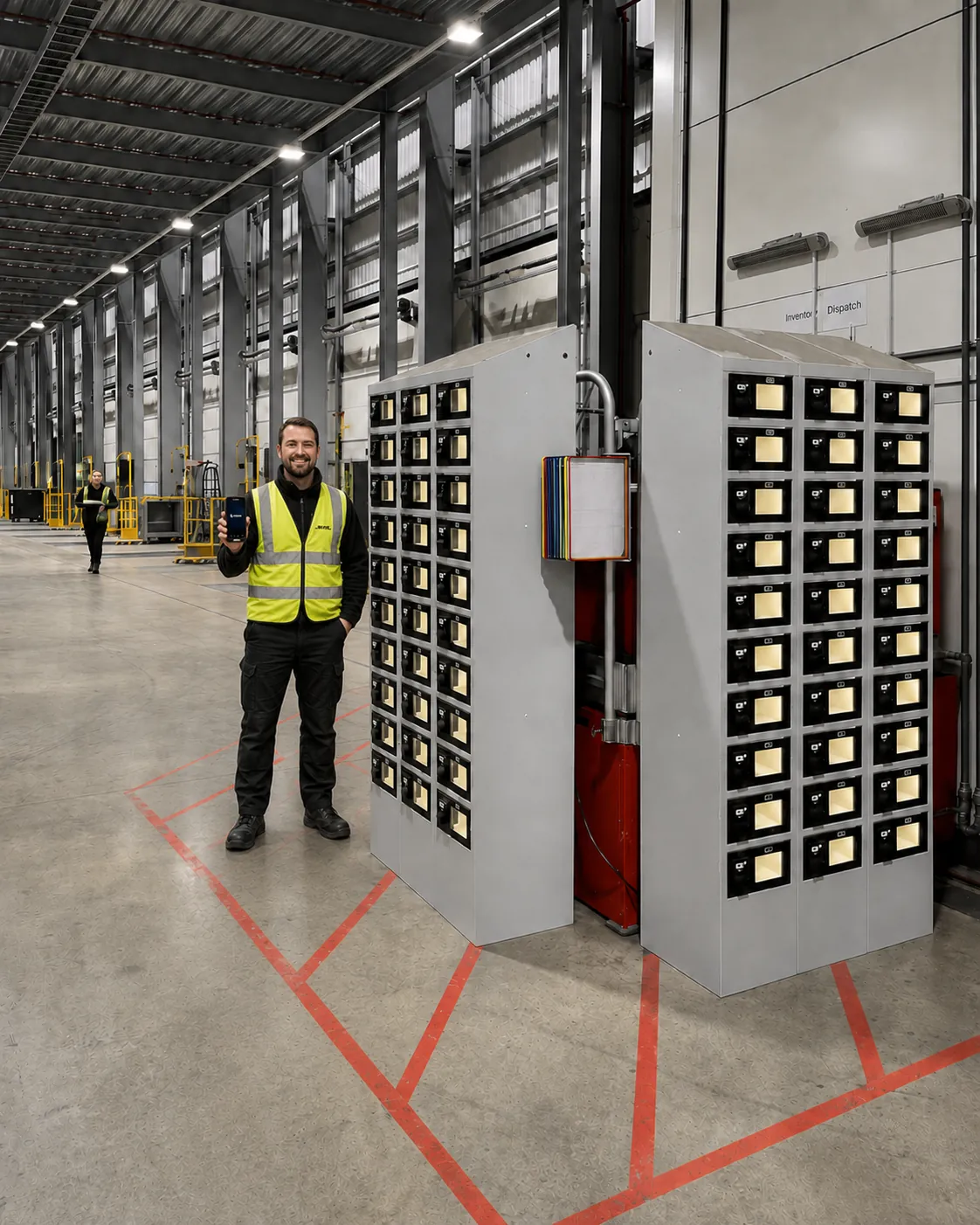
Warehouses and distribution centres typically use smart lockers to manage shared operational equipment such as handheld scanners, mobile computers, radios, printers and headsets.
These devices are essential to the operation but can be surprisingly difficult to control. Equipment moves between shifts and users, devices are lost or damaged, supervisors spend time distributing them, and operatives can lose productive time waiting for equipment at the beginning of a shift.
Smart lockers create a controlled issue-and-return process. Operatives authenticate to collect the equipment allocated to them and return it after use, while the system maintains a record of who had which device and when.
The business case therefore extends beyond secure storage. Warehouse operators typically look at the impact on device loss and damage, shift readiness, management administration and overall asset accountability.
eLocker's own warehouse deployments illustrate the scale of that hidden operational cost. Its warehouse asset management proposition reports reductions of more than 90% in device loss during the first 12 months and average potential savings of around £113,000 per site per year, depending on the operation and deployment.
Further reading: Smart Lockers for Warehouses – What They Are and How They Work
Smart lockers in retail
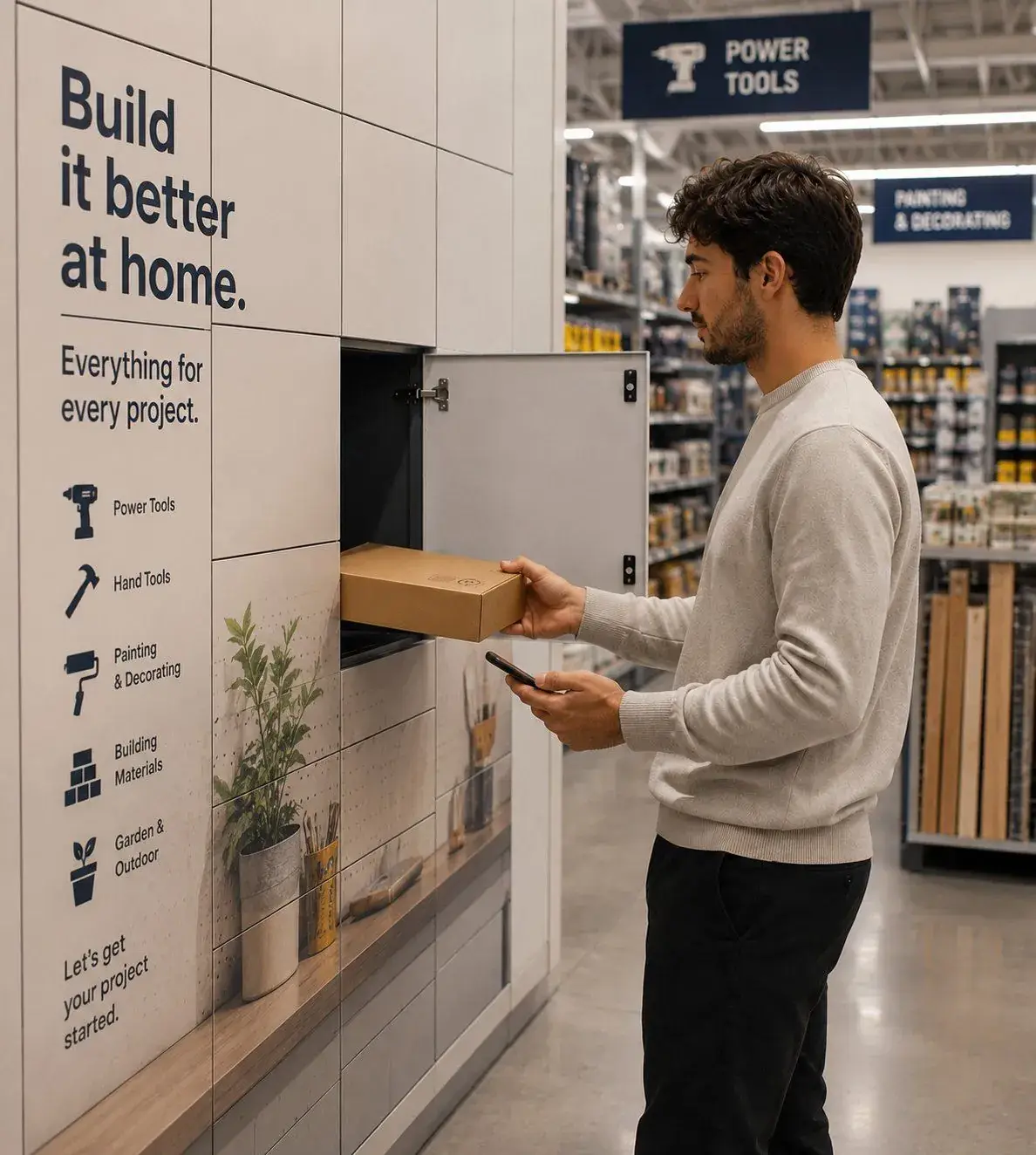
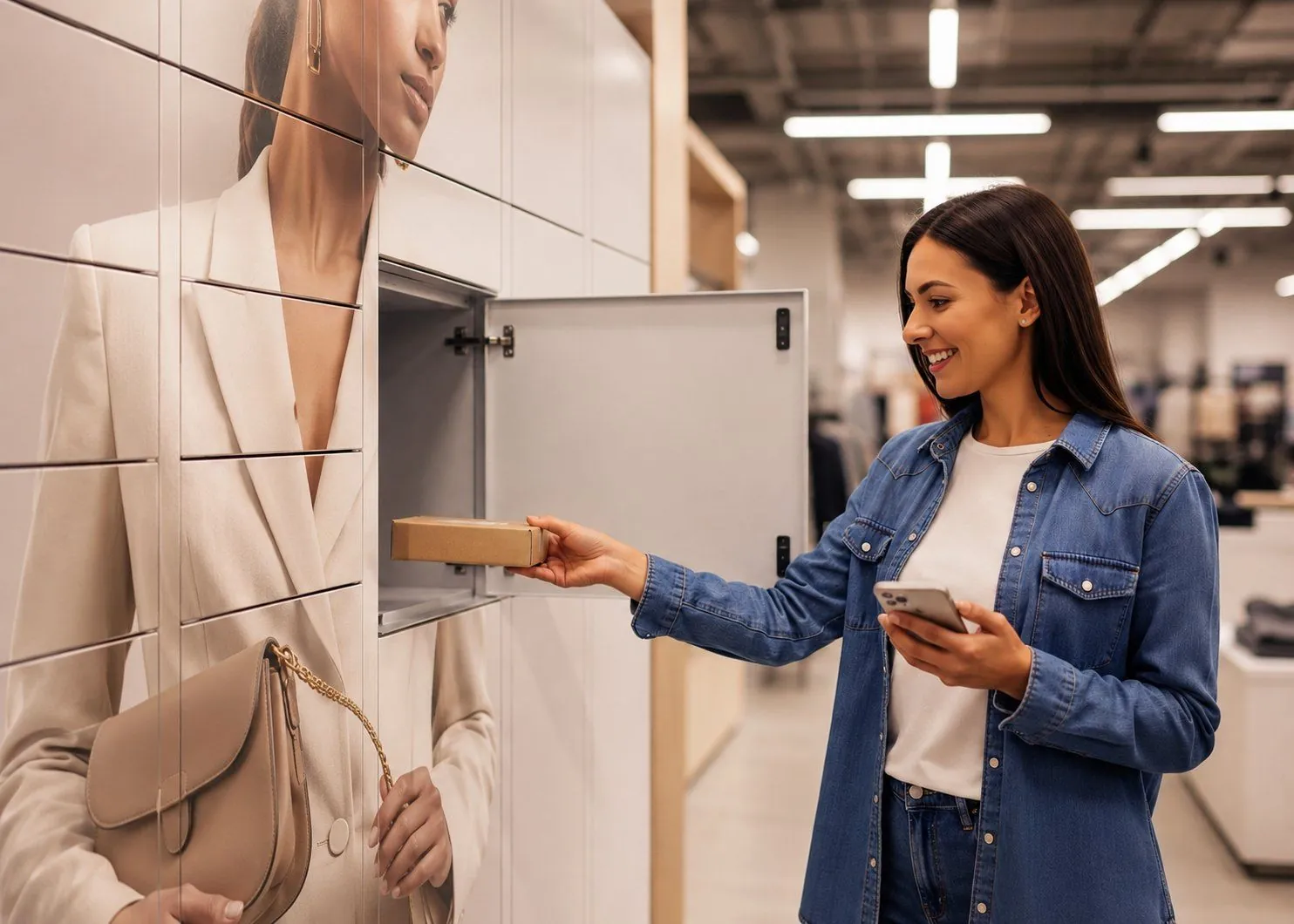
Retailers primarily use smart lockers to automate the collection and return of customer orders.
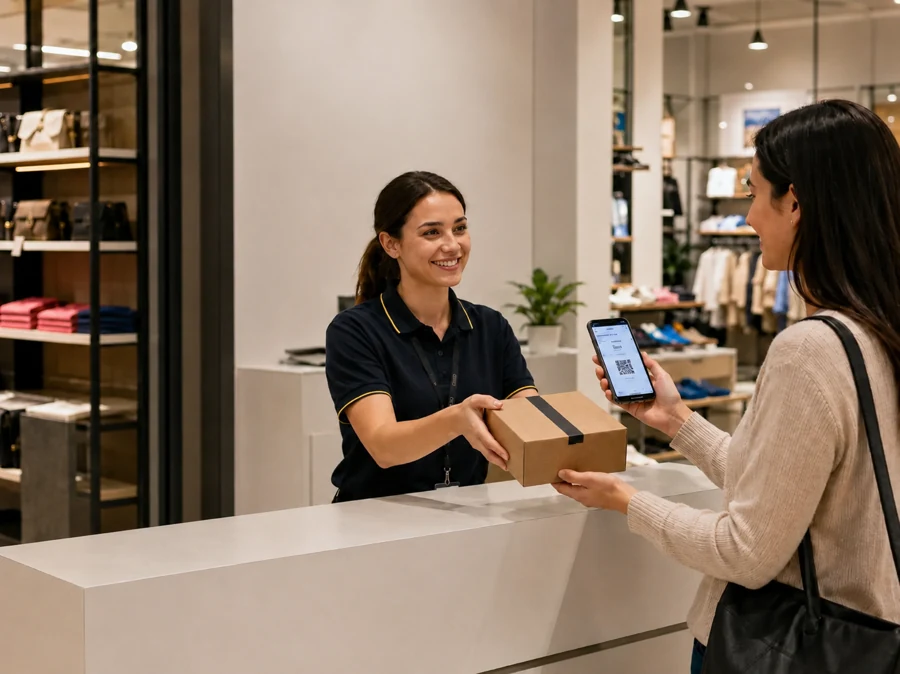
Traditional Click & Collect often appears inexpensive because the final handover takes place in an existing store. In practice, however, somebody still needs to locate the order, interact with the customer and complete the handover. As ecommerce volumes increase, the cumulative colleague time involved can become significant.
Smart lockers allow much of the final handover to become self-service. A colleague loads the order, the customer is notified that it is ready and an authenticated journey gives them access to the appropriate compartment.
Returns can operate in the opposite direction, allowing customers to deposit an item without relying on a conventional service-desk handover.
The commercial argument is therefore less about installing lockers and more about changing the economics of store-based fulfilment. Retailers can potentially reduce colleague involvement, remove collection bottlenecks and handle higher volumes without increasing labour at the same rate.
eLocker's current retail proposition, for example, is explicitly designed around reducing parcel-handling costs and allowing multiple customers to collect simultaneously rather than queue at a central kiosk.
Further reading: Smart Lockers for Retail – Uses, Benefits and How They Work
Smart lockers in workplace IT
The workplace presents a different problem.
IT teams routinely need to get physical equipment into and out of employees' hands. That might involve a replacement laptop, peripherals, a device loan, new-starter equipment or the return of assets when somebody leaves the organisation.
The technical support issue may be resolved quickly, but the physical handover can still create delay.
If the employee and IT team are in different locations, somebody may need to travel, arrange a collection or wait until both parties are available. For a user with a failed laptop, those logistics can prolong downtime long after the technical problem has been diagnosed.
A smart locker provides a secure intermediary. IT can make equipment available for collection and the employee can retrieve it through an authorised journey without requiring both people to be in the same place at the same time.
The same infrastructure can support device swaps, repairs, loans, onboarding and returns. For IT leaders, the attraction is therefore not simply secure equipment storage. It is the ability to make IT support more responsive while reducing the time employees and technical teams spend coordinating physical handovers.
Further reading: Smart Lockers for IT Asset Management – What They Are and How They Work
What do smart lockers replace?
The technology becomes easier to understand when viewed in terms of the processes it replaces.
Across warehouses, retail stores and workplaces, different versions of the same operational tools appear repeatedly: the key cabinet, the spreadsheet, the queue and the manual handover. Occasionally there is also the inevitable shrug when nobody can establish where something has gone.
Smart lockers replace much of this manual coordination with a digitally controlled process.
Physical keys can become digital permissions that are issued or withdrawn centrally. Manually maintained records can become automated transaction histories. Anonymous equipment use can become named accountability. Routine checking can become exception management, allowing people to intervene when something has not happened as expected rather than manually overseeing every successful transaction.
Perhaps most importantly, a previously opaque process starts producing useful data.
A traditional locker tells an organisation very little. A smart locker system can provide information about occupancy, utilisation, transaction volumes, access patterns, overdue items and differences in performance between locations.
The locker is therefore only one component of the value. The greater opportunity often lies in making a previously manual process visible and measurable.
What are the benefits of smart lockers?
There is no single business case for smart lockers because the economics of a retail collection are very different from those of a warehouse scanner or replacement laptop.
However, most deployments seek to improve some combination of five areas.
- Lower manual effort. Routine handovers can happen without somebody physically managing every transaction.
- Greater accountability. Digital records provide clearer traceability of who collected or returned something and when.
- Faster access. Users can collect what they need without necessarily waiting for another person to become available.
- Better visibility. Managers gain data about a process that may previously have been managed through spreadsheets, keys or local knowledge.
- Greater scalability. More users, transactions or locations can potentially be supported without manual workload increasing at the same rate.
Those benefits should not simply be assumed.
A credible smart locker business case starts by measuring the process that exists today and then determining whether automation produces a sufficiently valuable improvement.
That might mean measuring colleague minutes per retail collection, productive time lost during warehouse shift changeovers or employee downtime caused by IT equipment handovers.
The strongest justification for a smart locker is therefore rarely that it is more advanced technology. It is that the process around it becomes measurably better.
Are smart lockers secure?
Security is understandably one of the first questions organisations ask, particularly when lockers are being used for expensive equipment or customer orders.
Smart locker security operates at several levels. The physical compartment still needs to protect its contents, but the system must also control who can access individual doors, protect the information passing between the locker and its software, and maintain a reliable audit trail.
A well-designed system should therefore consider:
- physical security;
- user authentication;
- access permissions;
- encrypted communications;
- transaction records;
- data handling;
- software security; and
- the security of any connected systems.
The appropriate level of control will depend on what is being stored and the operating environment.
For eLocker deployments, communication between locks is encrypted and the wider information-security environment is supported by ISO 27001 and Cyber Essentials Plus certification.
Further reading: How Secure Are Smart Lockers?
How much does a smart locker system cost?
There is no particularly useful universal price for a smart locker system because the configuration can vary significantly.
Cost will depend on factors including the number and size of compartments, whether new lockers are required, charging requirements, software functionality, workflow complexity, integrations, number of sites and the support required during deployment.
Existing infrastructure can also influence the economics. If suitable lockers can be retrofitted rather than replaced, the hardware requirement may be quite different.
For that reason, cost per locker or cost per door only tells part of the story.
The more useful comparison is between the total cost of the smart locker system and the cost of the process it replaces.
For a retailer, that might mean understanding the colleague time consumed by every collection or return. In a warehouse, the calculation could include device replacement, management time and lost productive minutes at shift change. For workplace IT, it could include technical staff travel, manual handover time and employee downtime.
Those baseline figures provide the foundation for a meaningful ROI calculation.
What is the difference between a smart locker and an automated smart locker system?
The terms are often used interchangeably, and in everyday conversation that is unlikely to cause much difficulty. For organisations evaluating the technology, however, the distinction can be useful.
A smart locker is the digitally controlled physical infrastructure and the software required to manage access and usage.
An automated smart locker system extends that capability into the surrounding operational workflow.
For example, the wider system might automatically:
- assign a locker or device;
- send a collection notification;
- determine what a particular user can access;
- record a return;
- flag an exception;
- update another business system; or
- provide reporting to an operational team.
Put simply, the smart locker controls the handover; automation orchestrates the process around it.
That distinction becomes increasingly important as organisations move from deploying isolated locker banks to using smart lockers as part of a broader operational system.
Further reading: What Is an Automated Smart Locker System?

Where should an organisation start?
It is tempting to begin a smart locker project by comparing locker sizes, door configurations and technical specifications. A more useful starting point is the process the organisation is trying to improve.
Look for points in the operation where something valuable repeatedly moves between people and where that handover creates friction.
How many people are involved? How much time does the process consume? Where do users wait? What gets lost or damaged? What information is recorded manually? What happens when the normal process fails?
Most importantly, what does all of that cost?
Establishing that baseline changes the conversation. Instead of asking whether a smart locker would be useful, the organisation can test whether automating a particular handover changes the economics sufficiently to justify the investment.
A controlled pilot can then compare the new process against the baseline before a wider deployment decision is made.
That is ultimately the point of smart locker technology. The cabinet may be the most visible component, but the objective is not to install a more sophisticated locker.
It is to make the process around it simpler, more accountable and less dependent on manual intervention.
Frequently asked questions about smart lockers
What is a smart locker?
A smart locker is a secure storage compartment that uses digital access and software to control and record how it is used. Unlike a traditional locker, it can identify authorised users, maintain transaction histories and form part of a wider automated workflow.
Is a smart locker the same as an electronic locker?
Not necessarily. An electronic locker may simply replace a mechanical key with electronic access. A smart locker typically adds connectivity, management software, user permissions and transaction data.
Do smart lockers need an app?
No. Access methods vary according to the system and application. Smart lockers can use employee cards or fobs, PINs, secure web-based journeys and other forms of digital authentication without requiring users to download an app.
Can existing lockers be converted into smart lockers?
In some cases. Suitable existing locker banks can potentially be retrofitted with smart locks and connected to management software, which can avoid replacing usable physical infrastructure.
Can smart lockers integrate with other business systems?
Yes. Depending on the application, smart locker platforms can integrate with other operational and enterprise systems. The extent of integration required varies, and organisations can also begin with relatively self-contained deployments before adding deeper integrations.
Are smart lockers suitable for warehouses?
Yes. Warehouses commonly use smart lockers to control shared devices such as handheld scanners, radios and mobile computers. The technology can improve asset accountability, reduce loss and support faster shift changeovers.
How are smart lockers used in retail?
Retailers primarily use smart lockers for customer collections and returns. They can reduce the amount of colleague time required for manual handovers while giving customers a more flexible self-service journey.
Can smart lockers be used for IT equipment?
Yes. Workplace IT teams can use smart lockers for laptop collection and return, device swaps, repairs, equipment loans, onboarding and leaver workflows.
What happens when an item isn't collected or returned?
Because transactions and occupancy are recorded by the software, the system can identify exceptions such as overdue equipment or uncollected items. Appropriate notifications or operational processes can then be triggered.
Are smart lockers the same as parcel lockers?
Not necessarily. Parcel lockers are typically associated with parcel delivery and carrier networks. Smart lockers are a broader technology category and can support an organisation's own workflows for orders, equipment and shared assets.
A smart locker is therefore best understood not as a more sophisticated cabinet, but as a physical access point within a digital workflow.
Whether the item moving through it is a retail order, a warehouse scanner or a replacement laptop, the underlying principle is the same: give the right person secure access to the right item, record what happened and remove unnecessary manual intervention from the handover.
That is what turns a locker into a smart locker, and what turns smart locker technology into an operational tool.
